Scan multiple pages
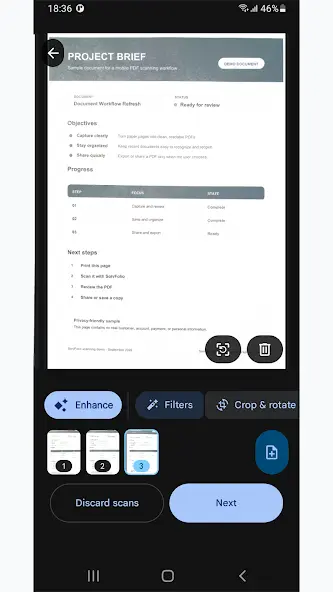
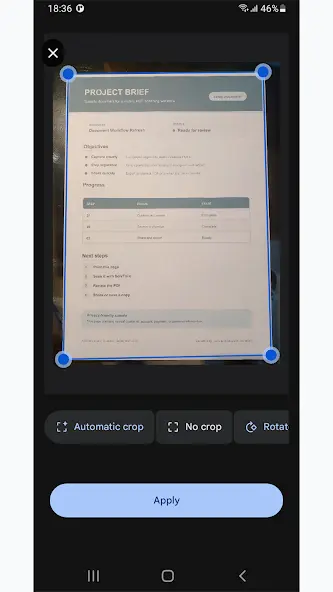
Capture one page or build a multi-page document in a single scan session.
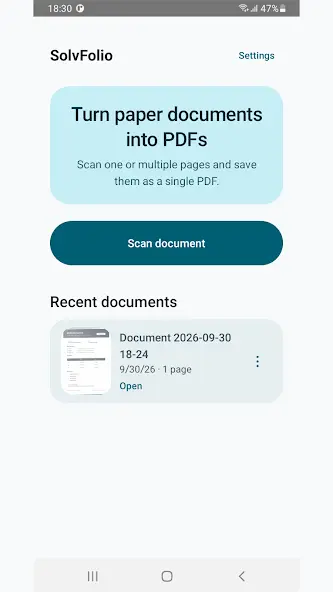
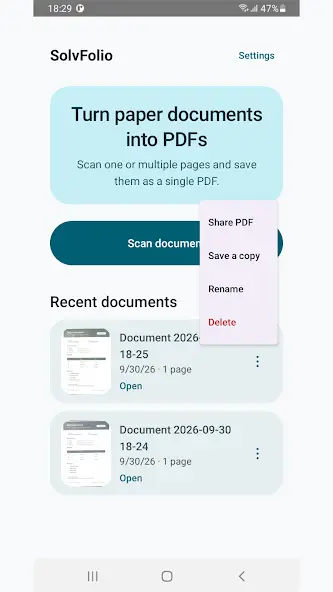
Scan one or multiple pages, review the document, and keep recent PDFs on your device. Preview, rename, save a copy, or share it through the apps you already use.
Focused by design
Open the app, scan the document, and get a PDF without unnecessary menus or distractions.
Capture one page or build a multi-page document in a single scan session.
Check your pages, enhance them, apply filters, crop, rotate, or remove a page.
Preview, rename, delete, share, or save a copy of documents stored in the app.
Inside the app
Private by design
SolvFolio has no ads, requires no Solvmetric Works account, and does not use Solvmetric Works cloud storage for scanned documents.
Documents remain in app-private storage unless you choose to share or export them. Read the full SolvFolio Privacy Policy.
FAQ
A focused Android PDF scanner for turning one or multiple paper pages into a PDF, keeping recent scans, and sharing or saving copies.
No. SolvFolio does not require a Solvmetric Works account.
Scanned documents stay in app-private storage on your device unless you choose to share or export them.
No. SolvFolio does not contain ads. An optional one-time Lifetime Supporter purchase may be available through Google Play.